














Kurt 'CyberGuy' Knutsson recalls being stuck in New Orleans during Hurricane Katrina
Twenty-one years after Hurricane Katrina, Kurt "CyberGuy" Knutsson shares his experience surviving the storm.
Aug. 29 marks 21 years since Hurricane Katrina struck the Gulf Coast in 2005. I had gone to New Orleans expecting a fun weekend with my parents. Instead, I ended up trapped inside a hotel during one of the most devastating hurricanes in U.S. history.
At the time, I had no idea the experience would change the way I prepare for emergencies for the rest of my life. Katrina remains the costliest hurricane in U.S. history and one of the deadliest hurricanes in U.S. history.
For me, though, the story began before the flooding. As Katrina grew stronger in the Gulf, I realized we needed to get out of New Orleans. I got my parents onto what I remember as the last flight out. My dad even offered me his ticket because I still had no way out. I told him to get on the plane. Then I headed to a rental car company. That plan fell apart fast.
There were about a hundred people there trying to do exactly what I was trying to do. So I eventually returned to the Ritz-Carlton in New Orleans after being told it was extremely well-prepared for a hurricane. I was told it had upgraded windows, generator power and plenty of food. I should not have gone back.
NORTH CAROLINA MOUNTAIN COMMUNITY BRACES FOR HURRICANE SEASON TWO YEARS AFTER HELENE'S BRUTAL IMPACT
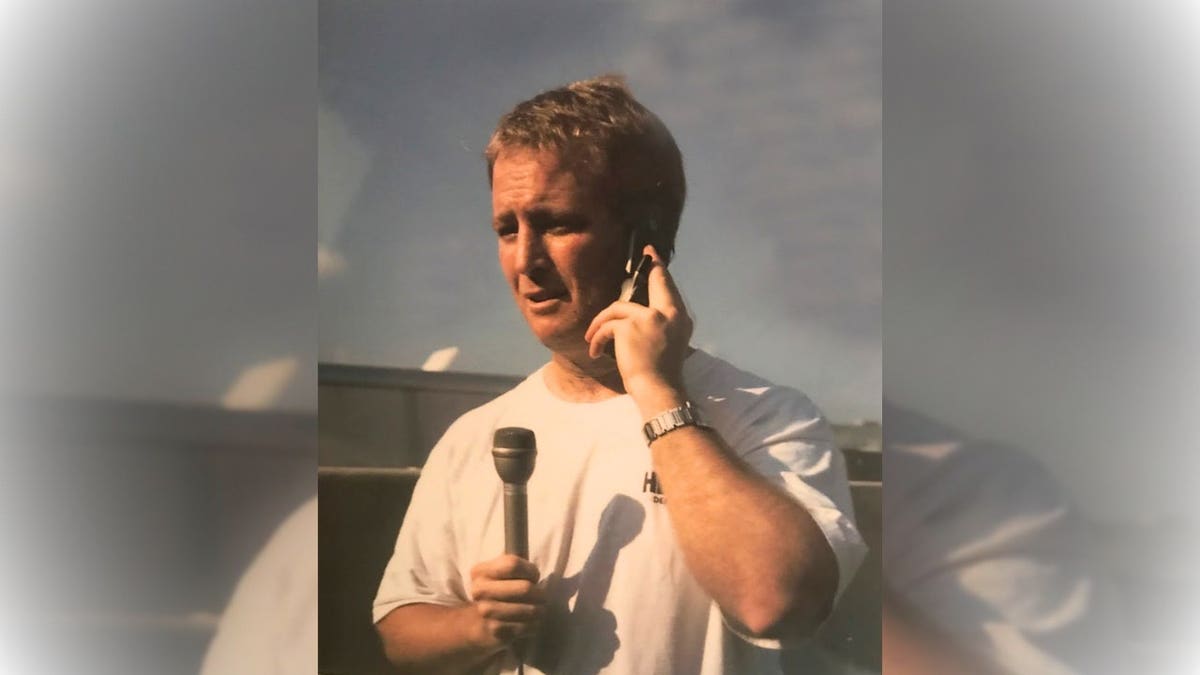
Kurt "CyberGuy" Knutsson reports from Louisiana in the aftermath of Hurricane Katrina, where flooding, power failures and widespread damage left the city in crisis. (Kurt "CyberGuy" Knutsson)
Want to hear what it was really like? Listen to The CyberGuy Report podcast at Cyberguy.com/ as I revisit Hurricane Katrina with Carlos Amezcua, who was anchoring at KTLA in Los Angeles while I was trapped in New Orleans.
New! Free live CyberGuy class: Protect Your Money From Today’s Biggest Threats
Join us Saturday, Aug. 29, at 10 a.m. ET for a free CyberGuy LIVE class covering five simple steps to help defend yourself against AI scams, fraud, identity theft and financial hacks. Kurt "CyberGuy" Knutsson will explain how to set up bank alerts, strengthen your account logins, protect your phone number, freeze your credit and help secure your retirement savings against unauthorized transfers. No technical experience is needed. You’ll also receive our financial protection checklist, and every registrant will get a link to the class recording afterward.
Reserve your free spot today at CyberGuyLive.com.
When the hotel's hurricane plan began to unravel
The hotel looked prepared on paper. It had upgraded windows, a generator and food supplies meant to keep people sheltered through the storm. Then the situation changed fast. As Hurricane Katrina approached, hotel employees were allowed to bring their families inside so they could stay together while staff continued working. That decision brought hundreds more people into the property than the original emergency plan had anticipated. Suddenly, the food, beds and other supplies had to stretch much further. Then the flooding came.
Water surrounded the hotel and made leaving impossible. Food was rationed. At one point, the hotel was so desperate to keep refrigeration running that staff asked guests with diesel vehicles in the elevated garage if they could siphon fuel for the generator. Outside, I heard gunfire and watched looting unfold on Canal Street. Hotel officials repeatedly warned us not to leave because the streets were unsafe. Communication was breaking down too. Cell service was unreliable, and text messages could take hours to reach the other end. Somehow, I managed to MacGyver the hotel's phone system enough to get a dial tone and report back to KTLA in Los Angeles, where I was working at the time.
What kept running through my mind was this: If conditions were becoming this desperate inside one of New Orleans' luxury hotels, what were families trapped in their homes going through? That question became personal as I got to know Jesse and Emma Ruiz, a couple from the Los Angeles area who had saved for an anniversary trip to New Orleans. Their celebration had suddenly turned into a disaster. I became close to them while we were trapped and even tried to make sure they knew where I had stashed some food and water. Years later, seeing them safe again brought all of those emotions right back.
Hurricane Katrina taught me to control the information I could
One of my biggest lessons from Katrina had nothing to do with buying expensive survival equipment. It was about information. Rumors spread constantly. People were scared, and nobody seemed to know what would happen next. As a journalist, I kept trying to verify what I was hearing. I described the situation on the podcast as "information chaos."
That mindset helped me focus. Instead of getting overwhelmed by everything happening around me, I tried to figure out what I could confirm and what problem needed solving next.
I also formed an alliance with Richard Rhodes, a man from Washington who became what I later called my survival partner. We started thinking ahead together about what we would need and how we might get ourselves out. At one point, Richard and I decided we would pack what we could and try to walk out along the levee system toward Baton Rouge. We headed down the hotel stairwell, but a security guard told us we were not going anywhere. I kept going until I could see floodwater around the second-floor level. There was simply no way out on foot.
Then I ran into an information problem I never expected. A helicopter might be able to get me out, but the pilot needed my exact latitude and longitude. I did not know it. Without electricity and the smartphone tools we take for granted today, it took nearly two days to determine my GPS coordinates. Once the helicopter crew had those coordinates, the pilot finally knew exactly where to find us. As I said on the podcast, "Now I don't go anywhere without knowing how to get my GPS coordinates." Today, your smartphone makes that much easier.
Hurricane Katrina changed what I keep ready
Katrina also changed the physical gear I keep nearby. You do not have to turn your garage into an emergency warehouse. Instead, I focus on equipment that helps me communicate, see what is happening and keep essential devices working.
During Katrina, I found an uninterruptible power supply that normally backed up a computer in the hotel. We used it to charge phones when regular power was unavailable. That experience made backup power a permanent part of my emergency planning. I also learned something much simpler. A zip-top plastic bag can become one of the most useful things you own when water is getting everywhere.
ARMY BLACK HAWKS AIRLIFT 200-PLUS STRANDED CAMPERS AS MISSOURI FLOODS TRIGGER MORE 350 RESCUES
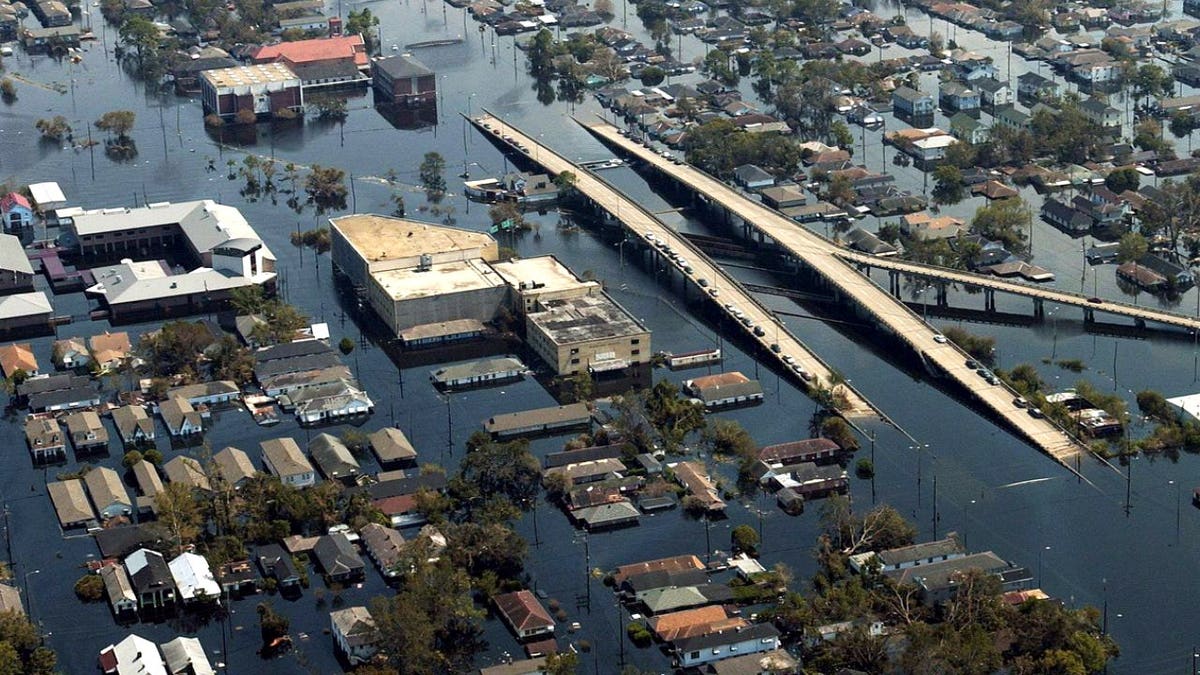
Hurricane Katrina left New Orleans flooded and communications crippled, forcing Kurt Knutsson to rethink how he prepares for disasters. (U.S. National Archives / Michael B. Watkins, U.S. Navy)
7 storm season tips I learned the hard way
You cannot control what a major storm does. However, you can make it easier to communicate and function when normal services disappear.
1) Save your GPS coordinates now
Do not wait until you need rescuing to figure out where to find your latitude and longitude. Open Google Maps and zoom in on the location you want to save. Then press and hold an unlabeled spot to drop a pin. Google says this will display the location's coordinates on both Android and iPhone. Take a screenshot or save the coordinates somewhere easy to access.
I would do this for your home and any other place where you expect to ride out a major storm. You can also save the coordinates in a note along with your address and other emergency information. If familiar landmarks disappear or rescuers cannot easily identify where you are, those coordinates can give them your exact location. As I said during the podcast, "Timing with information is everything."
2) Practice Emergency SOS via satellite before an emergency
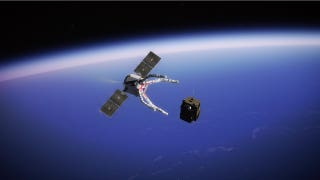
This is one feature I desperately wish I had during Katrina. Apple's Emergency SOS via satellite is available on iPhone 14 and later models. It can help you text emergency services when you are somewhere without cellular or Wi-Fi coverage. However, do not assume you will instinctively know what to do in an emergency. Apple provides a demo so you can practice ahead of time.
iPhone: Practice Emergency SOS via satellite
On a current iPhone, you can:
- Open Settings
- Tap Emergency SOS
- Scroll to the Emergency SOS via satellite section
- Tap the option to try the demo
- Follow the onscreen instructions
You can also open the Control Center, tap the Cellular control, tap Satellite and choose Try Demo. Most importantly, Apple says you need to be outside with a clear view of the sky and horizon. Dense foliage, tall structures and some terrain can interfere with the connection. During a real emergency, Apple says you should first try calling your local emergency number. If the call cannot connect and you are off the grid, your iPhone can offer the satellite option. For more details, see my guide to getting your phone ready for an emergency.
Samsung Galaxy: Practice Satellite SOS if your phone supports it
Some newer Samsung Galaxy phones can also connect to emergency services by satellite when cellular and Wi-Fi service are unavailable. However, unlike Apple's system, availability depends on your Galaxy model and wireless carrier. Samsung says satellite communication is expanding across supported Galaxy phones in the U.S. through carriers including Verizon and T-Mobile. On a supported Samsung Galaxy phone with Verizon, you can practice using Satellite SOS before you need it. Verizon specifically provides a Satellite SOS demo for compatible Android phones.
On a supported Galaxy phone, check:
- Open Settings
- Tap Safety and emergency
- Tap Satellite SOS
- Select the option to try the demo
- Follow the onscreen instructions
During a real emergency, first try calling 911. If you have no cellular or Wi-Fi connection and your phone and carrier support Satellite SOS, your Galaxy can prompt you to connect by satellite. You will need to be outside with a clear view of the sky and follow the onscreen directions to establish the connection. Verizon says Google Messages must be the default messaging app for its Satellite SOS service.
One caveat: If you do not see Satellite SOS under Settings > Safety and emergency, that does not necessarily mean your Galaxy is out of date. Your particular model or carrier may use a different satellite service or may not support the feature.
FATAL AIR AMBULANCE CRASH EXPOSES GROWING GPS DANGER FACING US FLIGHTS
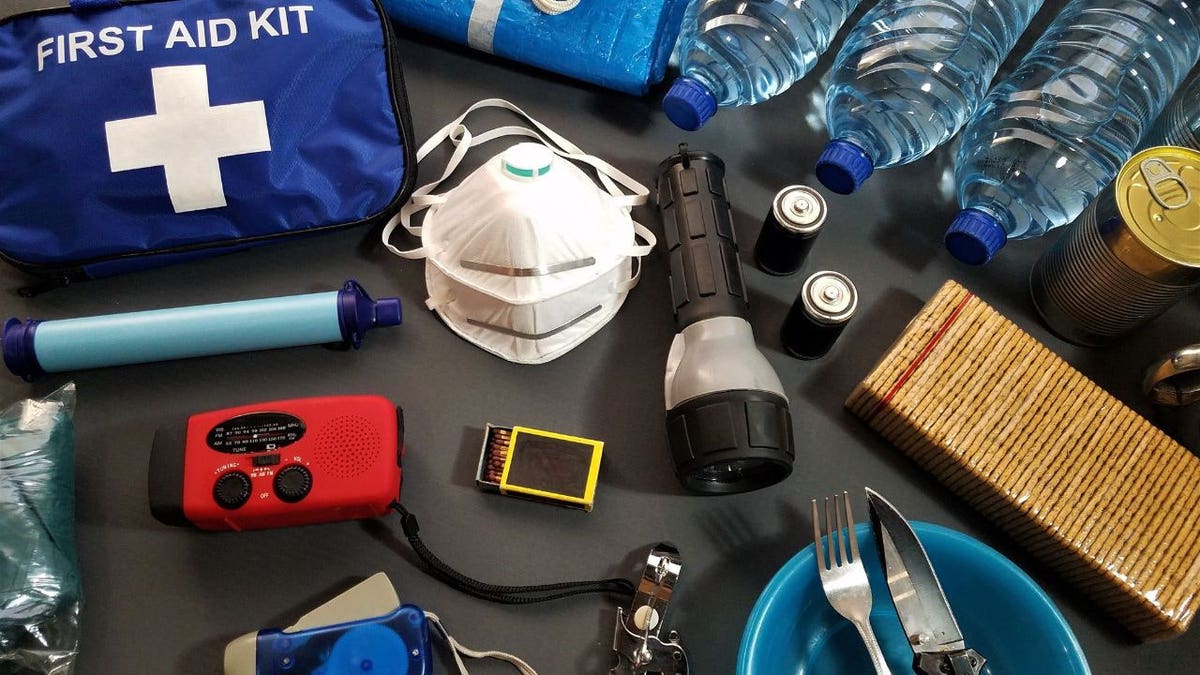
Backup power, GPS coordinates, drinking water and satellite communication are among the tools Kurt Knutsson now keeps ready for severe weather. (Kurt "CyberGuy" Knutsson)
3) Keep a NOAA Weather Radio available
Your smartphone is an incredible emergency tool. Still, I would not make it your only source of warnings. NOAA Weather Radio broadcasts official National Weather Service warnings, watches, forecasts and other hazard information 24 hours a day. When shopping for a weather radio, look for one with Specific Area Message Encoding, known as SAME.
SAME-capable receivers can be programmed for specific geographic areas. Some can also activate from a silent mode when an alert for that area is transmitted. That is the type of feature I want available when the power goes out in the middle of the night. You can find more options in my storm survival essentials guide at CyberGuy.com.
4) Have backup power ready
Charge your phone and portable batteries before severe weather reaches you. Ready.gov recommends planning for batteries and alternative power sources during outages, including portable chargers or power banks.
I also keep spare charging cables available. That became a habit after Katrina because sometimes you may find a source of electricity but not have the cable you need. A larger portable power station may also be useful depending on your equipment and household needs.
5) Keep critical gear dry and easy to grab
This is where the humble zip-top bag earns a permanent place in my emergency kit. I keep small electronics and other essentials protected from water whenever severe weather is approaching. During the podcast, I pulled out one of these bags because the idea is so simple. "A Ziploc bag is your best friend in any weather."
I also keep a serious flashlight nearby. A lantern-style light can be useful during an outage, while a whistle can give you another way to signal for help. The important part is knowing exactly where those items are before the lights disappear.
6) Store enough drinking water
Water can become a problem surprisingly fast after a disaster. Ready.gov recommends storing one gallon of water per person per day for several days for drinking and sanitation. If you have pets or service animals, include their needs in your emergency planning as well. Personally, I try to keep about a week's worth of water available when possible. That is the approach I described on the podcast.
7) Keep emergency basics in your car too
One thing Katrina taught me is that trouble may begin when you are nowhere near your emergency supplies. That is why I duplicate some of my basics. I keep emergency gear at home and useful supplies in the car. Ready.gov also recommends keeping an emergency supply kit in your vehicle.
I also keep some emergency cash available. During Katrina, Richard had the foresight to get cash before access to normal payment systems became a problem. Ready.gov recommends including cash in an emergency kit because ATMs and credit card systems may not work during a prolonged outage.
For me, the idea is flexibility. If I have to leave quickly, I do not want every flashlight, charging cable and useful piece of emergency gear sitting inside the house. You can also read my guide to getting survival-ready in any storm at CyberGuy.com for more ways to prepare before severe weather arrives.
Staying calm became part of my emergency plan too
Carlos reminded me during the podcast that I somehow seemed calm while all of this was unfolding. I did not feel calm. There was fear. There was uncertainty. At times, I genuinely did not know how I was going to get out. However, focusing on the next solvable problem helped. Eventually, we arranged for a helicopter to land on the hotel roof. Looking back, I remember exactly how desperate I felt. "I was willing to grab the skid of the helicopter in any way I could just to get out."
Then the helicopter lifted off. For a few seconds, I felt enormous relief. That feeling disappeared when I looked down. Across the flooded area, I could see people stranded on rooftops. They were waving whatever they could find, desperately trying to signal for help. That image has stayed with me ever since.
Kurt's key takeaways
Hurricane Katrina taught me that preparedness is really about giving yourself options. You cannot know exactly what a major emergency will take away. That is why I want more than one way to receive information. I want backup power available. I also want the information rescuers could need saved before I am under pressure. Most of these preparations are remarkably simple. Know how to find your coordinates. Practice the emergency features already built into your phone. Keep the equipment you rely on charged and accessible. Then think about what happens when your original plan stops working. That may be the biggest lesson Katrina taught me. A hotel that appeared prepared became overwhelmed. Cell service became unreliable. Roads became useless as an escape route. Eventually, getting out required a helicopter landing on a rooftop. I could never have planned that exact sequence. What I could do, and what I do now, is give myself more ways to solve the next problem. You can hear the full story, including Carlos Amezcua's memories of watching everything unfold from the KTLA anchor desk in Los Angeles, on The CyberGuy Report podcast at CyberGuy.com. The conversation brought back moments I had not thought about in years.
If a storm knocked out your power and cell service tonight, how long could you actually manage with what you have on hand right now? Let us know by writing to us at CyberGuy.com.
Sign up for my FREE CyberGuy Report
- Get my best tech tips, urgent security alerts and exclusive deals delivered straight to your inbox.
- For simple, real-world ways to spot scams early and stay protected, visit CyberGuy.com – trusted by millions who watch CyberGuy on TV daily.
- Plus, you'll get instant access to my Ultimate Scam Survival Guide free when you join.
CLICK HERE TO DOWNLOAD THE FOX NEWS APP
Copyright 2026 CyberGuy.com. All rights reserved.
