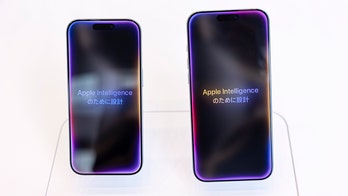
November 2, 2024 Get organized: New iOS 18 Calendar features Kurt "CyberGuy" Knutsson shares tips and suggestions for how to get the best use out of the updated Calendar app available with the latest iOS update.
October 29, 2024 Verizon shutting down its Message+ app. So what do you do now? More than 250 million users of the Verizon Messages app will have to switch to another app. Verizon is shutting down Messages in the next month.
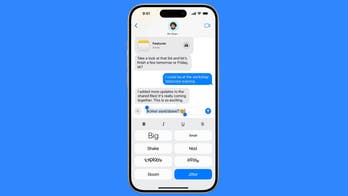
October 28, 2024 iOS 18's new text formatting and effects in messages Tech expert Kurt “CyberGuy" Knutsson explains how iOS 18 brings new text formatting and animated effects to the Messages app.
October 26, 2024 Secret trick to send a text message again with iOS 18's new Send Later feature Apple's iOS 18 has brought a game-changing feature to the Messages app, allowing users the ability to schedule text messages for future delivery.
October 24, 2024 How to check your heartbeat with ECG app on your Apple Watch The ECG app on Apple Watch Series 4 or later and all models of Apple Watch Ultra generates an ECG similar to a single-lead (or Lead I) ECG.
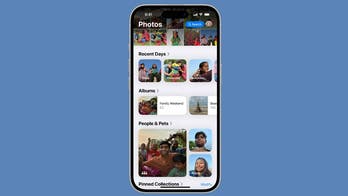
October 22, 2024 Don’t panic. Here’s how to find your photos after iOS 18 update Tech expert Kurt “CyberGuy" Knutsson has the details on the iOS 18 Photos app: Revamped layout, customizable collections and easier photo organization.
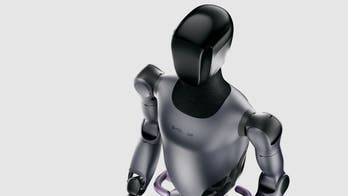
October 19, 2024 Chinese humanoid robot could be the future of affordable in-home care A humanoid robot made by a Chinese company proposes to redefine personalized elderly care and assistance for people with disabilities.
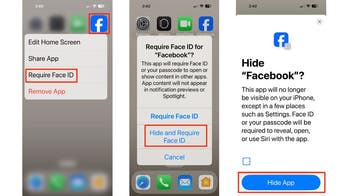
October 15, 2024 Hide and lock your apps on your iPhone with iOS 18 Tech expert Kurt “CyberGuy" Knutsson explores the iOS 18’s new features to hide and lock apps for better privacy and organization.
October 4, 2024 10 tech tips and tricks everyone should know There are a handful of ways you can make your tech experience less annoying, including through fixing autocorrect, turning off certain notifications and by creating folders on your iPhone.
October 3, 2024 Let your iPhone read aloud what you can't see The new Reader Mode in iOS 18’s Magnifier app is here to help iPhone users read something small or in poor lighting. All you have to do is snap a picture.