 Print
Print
 Close
Close

Tech security: How to wipe your phone or computer if it’s lost or stolen
By Kim Komando, Kim Komando
Published May 22, 2022

Several states are relying on smartphone apps to alert users of COVID-19 exposure (iStock)
Selling your old tech can put cash in your pocket, but don’t forget your devices store sensitive data that you don’t want a stranger to access.
Your smart speaker, for example, knows your location and may even store your voice recordings locally. Tap or click here for steps to wipe and deregister your Amazon Echo before selling it.
Now, think about what your phone knows. No wonder you get that horrible sinking feeling when you can’t find it. Here’s how to find a lost phone, even when the battery is dead.
But what if your phone, tablet, or laptop is lost for good? Don’t let everything stored there fall into the wrong hands. Here’s how to wipe all that personal info from anywhere.
Remember, you need to set this up ahead of time
Imagine traveling, and your phone or computer is nowhere to be found. If your passcode is easy to guess — or worse, you never set one up — you're potentially handing over everything from your bank login to your social media accounts to who knows who.
Being able to wipe your devices remotely is incredibly useful. But you do need to set up the capability ahead of time. If you wait until you need this function, it’s too late. Take some time now to set it up following the steps below.
Wipe your Android
If you lose your Android phone, you can find, lock, or erase it remotely. You'll need to have Find My Device enabled before using these features. Here's how.
- Open the Settings app.
- Tap Security > Find My Device. If you don’t see Security, tap Security & location or Google > Security.
- Make sure Find My Device is turned on.
Follow these steps to erase your phone remotely
- Go to android.com/find and sign into your Google Account. If you have more than one phone, click the lost phone at the top of the screen. If your lost phone has more than one user profile, sign in with a Google Account on the main profile.
- The lost phone will get a notification and you'll see its approximate location on a map. If you can't locate your phone, you'll see its last known location.
- Choose Enable lock & erase if needed.
- Choose Erase device to delete all the data on your device permanently. Note: After taking this step, Find My Device won't work on that phone.

Wipe your personal data from your smartphone before you sell or otherwise dispose of it. (iStock)
Erase data from your iPhone, Mac, or iPad
Apple’s Find My app lets you remotely erase an iPhone, iPad, or Mac from afar. As with Android, make sure you have Find My enabled ahead of time.
Enable Find My for iPhone and iPad:
- Open the Settings app. Tap your name, then tap Find My.
- Tap Find My [device], then turn on Find My [device].
- To see your device even when it’s offline, turn on Find My network.
- To have the location of your device sent to Apple when the battery is low, turn on Send Last Location.
To turn on Find My for your Mac:
- Click the Apple menu > System Preferences > Security & Privacy. Click the Privacy tab. If the padlock in the lower left is locked, click it, and enter your password.
- Choose Location Services, then select the Enable Location Services checkbox. Make sure that the checkbox next to Find My is selected.
- Click Done, then return to the main System Preferences window.
- Click Apple ID > iCloud. Select the checkbox next to Find My Mac.
- To make sure you can find your Mac if it’s ever lost or stolen, click Options. Check that Find My Mac is on and Find My network is On.
- Click Done.
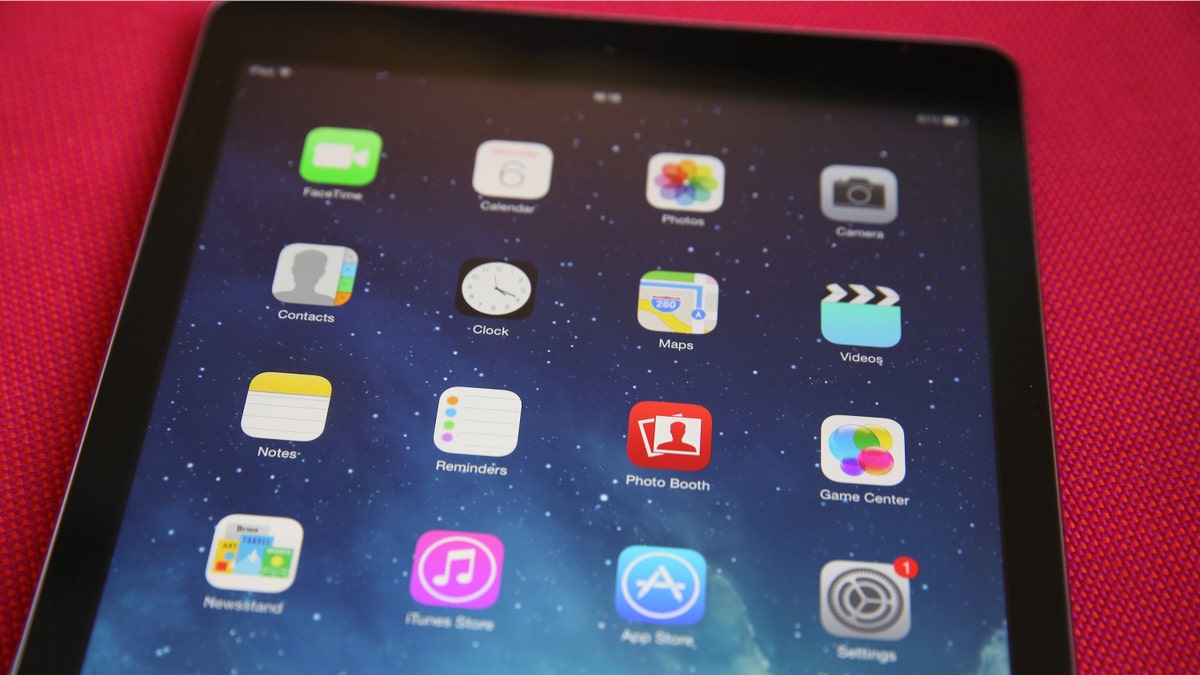
In this photo illustration an Apple iPad displays its home screen. (Photo illustration by Peter Macdiarmid/Getty Images) (2014 Getty Images)
Now, let’s say your iPhone, iPad or Mac goes missing. Here’s how to wipe all the data stored on it remotely.
- Go to icloud.com and sign into your account.
- Click Find My iPhone, then All Devices. (Note: If you don't see All Devices, you've already selected a device. Click the name of the current device in the center of the toolbar to access the Devices list, then select a new device.)
- Select the device you want to erase and click Erase [device].
- Do one of the following, depending on what you want to erase: iPhone, iPad, iPod touch, or Apple Watch: Enter your Apple ID password. If you're not using a trusted browser, answer your security questions or enter the verification code sent to your other devices. Mac: Enter your Apple ID password. If you're not using a trusted browser, answer your security questions or enter the verification code sent to your other devices. Enter a passcode to lock the Mac. You'll need to use the passcode to unlock it.
- iPhone, iPad, iPod touch, or Apple Watch: Enter your Apple ID password. If you're not using a trusted browser, answer your security questions or enter the verification code sent to your other devices.
- Mac: Enter your Apple ID password. If you're not using a trusted browser, answer your security questions or enter the verification code sent to your other devices. Enter a passcode to lock the Mac. You'll need to use the passcode to unlock it.
- If the device is lost and you’re asked to enter a phone number or message, indicate that the device is lost or how to contact you if you choose. The number and message will appear on the device’s lock screen.
- If your device is online, the remote erase begins after following the on-screen instructions. If your device is offline, the remote erase starts the next time it’s online.
MORE TECH SMARTS: Every iPhone and Android user should know these genius commands

Always wipe your personal data from laptops and other electronic devices before you dispose of them. (iStock)
Windows
You can remotely wipe your Windows laptop, too. Make sure you have the Find my device feature enabled before this happens:
- Sign in with your Microsoft account.
- In Windows 10, go to Settings > Update & Security > Find my device and ensure the feature is on.
- In Windows 11, go to Settings > Privacy & security > Find my device and ensure the feature is on.
Next, you need to enroll your computer with Microsoft Intune, a cloud-based service that lets you remotely manage devices and applications. Install the app from the Microsoft Store or Sign on to the Company Portal website.
Now, if your laptop goes missing, you can remotely erase it.
- Go to portal.azure.com/#home and sign in.
- Choose All Services and filter Intune.
- Choose Microsoft Intune and select Devices.
- Select the device that you want to erase remotely.
- Click Wipe and then Yes.
- The next time your laptop is turned on, all your data will be erased within 15 minutes.
Erase yourself from the internet
While you’re on a roll, take another smart privacy step. Here’s my latest guide on erasing yourself from the internet. It’s nearly impossible to delete yourself from the web entirely, but you can wipe out quite a bit if you know where to start.
PODCAST PICK: Traffic trick, YouTube shortcuts, golden privacy tip - Komando.com
Want to erase yourself from the internet? Here’s how. I'll also tell you how to predict traffic conditions months in advance. You'll learn about some YouTube keyboard shortcuts you’ll always use and Netflix changes that may come later this year. Also, a piece of history died in a ransomware attack. Here's what you need to know.
Check out my podcast "Kim Komando Explains" on Apple, Google Podcasts, Spotify, or your favorite podcast player.
Listen to the podcast here or wherever you get your podcasts. Just search for my last name, "Komando."
What digital lifestyle questions do you have? Call Kim's national radio show and tap or click here to find it on your local radio station. You can listen to or watch The Kim Komando Show on your phone, tablet, television, or computer. Or tap or click here for Kim's free podcasts.
Copyright 2022, WestStar Multimedia Entertainment. All rights reserved. By clicking the shopping links, you’re supporting my research. As an Amazon Associate, I earn a small commission from qualifying purchases. I only recommend products I believe in.
Learn about all the latest technology on The Kim Komando Show, the nation's largest weekend radio talk show. Kim takes calls and dispenses advice on today's digital lifestyle, from smartphones and tablets to online privacy and data hacks. For her daily tips, free newsletters, and more, visit her website at Komando.com.
https://www.foxnews.com/tech/tech-security-how-wipe-phone-or-computer-lost-stolen